What You Will Learn
- Internal linking is how Google discovers, evaluates, and ranks your pages. Without it, even well-written content stays invisible to both search engines and AI systems.
- A page buried more than three clicks from your homepage is treated as less important by Google. Crawl depth directly affects ranking eligibility.
- Topical authority is built by connecting pillar pages to cluster pages through consistent internal links, not by publishing volume alone.
- Orphaned pages, pages with zero internal links pointing to them, earn no PageRank, no crawl budget, and almost never rank organically.
- Anchor text tells Google what the linked page is about. Descriptive, keyword-relevant anchor text strengthens the ranking signal for the destination page.
- Internal linking now influences GEO and AEO visibility because AI systems follow the same link structure Google crawlers are used to understand topic ownership across a site.
Most businesses publish blogs consistently and wonder why they are not ranking. The content is good. The keywords are right. But the pages are sitting in isolation, disconnected from each other, invisible to Google’s crawler, and earning no authority from the rest of the site. Internal linking is the system that fixes this. It is how Google discovers your pages, understands how your content is related, and decides which pages deserve to rank. Get it right and every blog you publish compounds the value of every previous one.
This guide shows you how to create an effective internal linking strategy for 2026. It explains how this strategy affects your content’s visibility in Google AI Overviews and AI Mode answers, as well as traditional search rankings.
What Are Internal Links and Why Is Internal Linking Important for SEO?
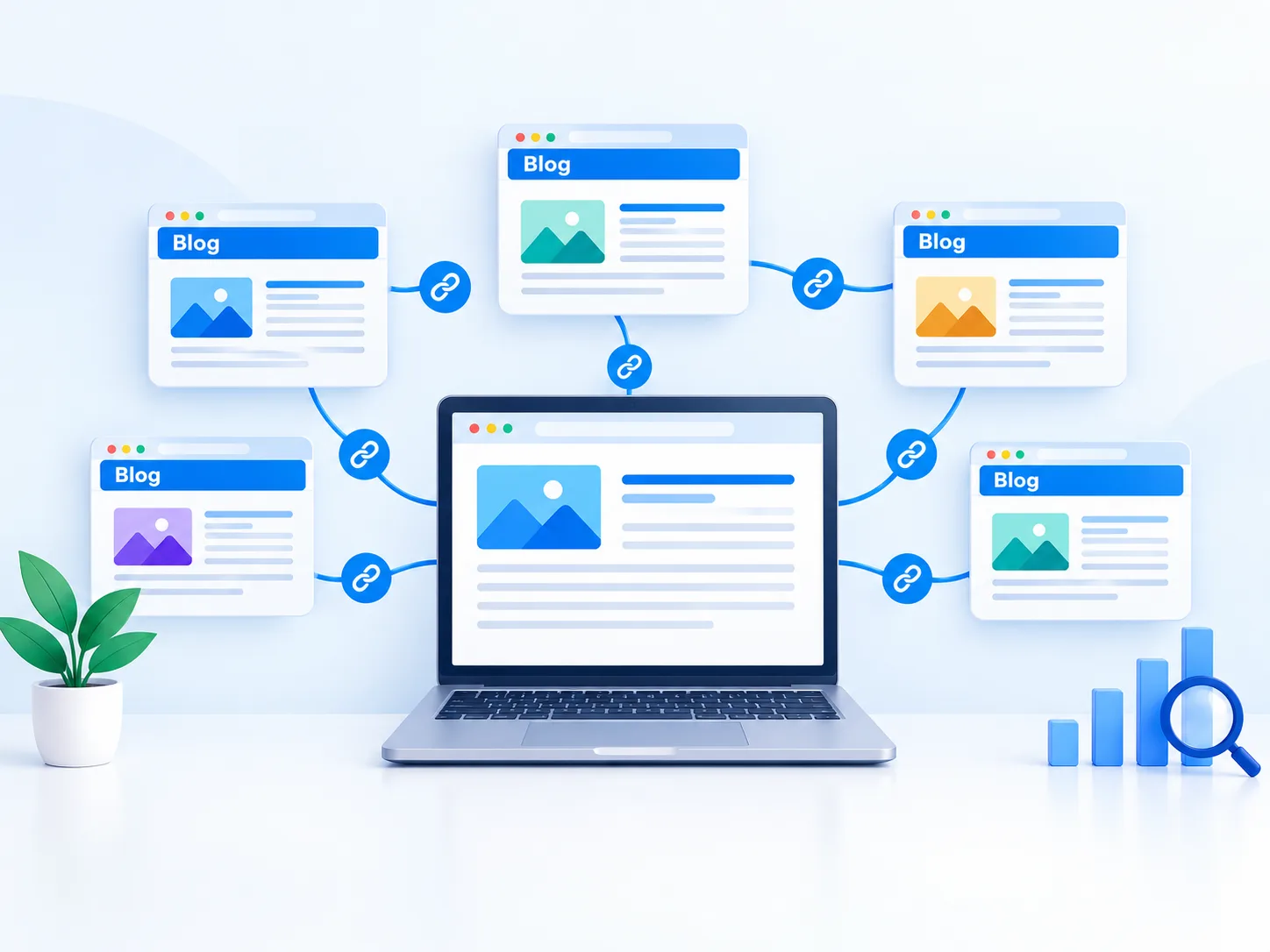
Internal links are hyperlinks that connect one page on your website to another page on the same website. They are the navigation system of your site for both human visitors and search engine crawlers. When Google’s crawler visits your site, it checks internal links. This helps it find new pages and reassess the ones already there.
Why is internal linking important for SEO? Three distinct reasons, each measured and confirmed by Google’s own documentation.
- 1. Crawlability: Internal links help Google discover and index pages across your website.
- 2. PageRank & Link Equity: Internal links pass authority from stronger pages to other important pages.
- 3. User Engagement: Relevant internal links encourage visitors to explore more pages and stay longer.
Types of Internal Links and What Each One Does for Your Site Structure
Understanding the types of internal links matters because each type serves a different purpose in your overall site architecture. Using only one type and ignoring the others leaves significant SEO value unclaimed.
| Type of Internal Link | What It Does and Where It Belongs |
| Navigational links | Placed in menus/sidebars. Signals key pages on every crawl. |
| Contextual links | Placed in body text. Strongest for SEO with relevant anchor text. |
| Breadcrumb links | Shows site hierarchy. Improves crawl depth and site structure. |
| Footer links | Placed at page bottom. Links to key service pages site-wide. |
| Related post links | Placed after blog posts. Lowers bounce rate in topic clusters. |
| In-content CTA links | Placed in body text. Passes authority to key landing pages. |
Contextual internal links are most valuable for SEO because they use relevant anchor text and context, helping Google understand linked pages. Navigation links are useful but provide less topical relevance.
How to Build an Internal Linking Strategy for Topic Clusters and Pillar Pages
To build an internal linking strategy, start by understanding the pyramid structure of a well-organized site. At the top sits the homepage or main service pages. In the middle are category or pillar pages covering broad topics. At the base are specific cluster posts that go deep on individual subtopics. Every level links upward and downward through this hierarchy.
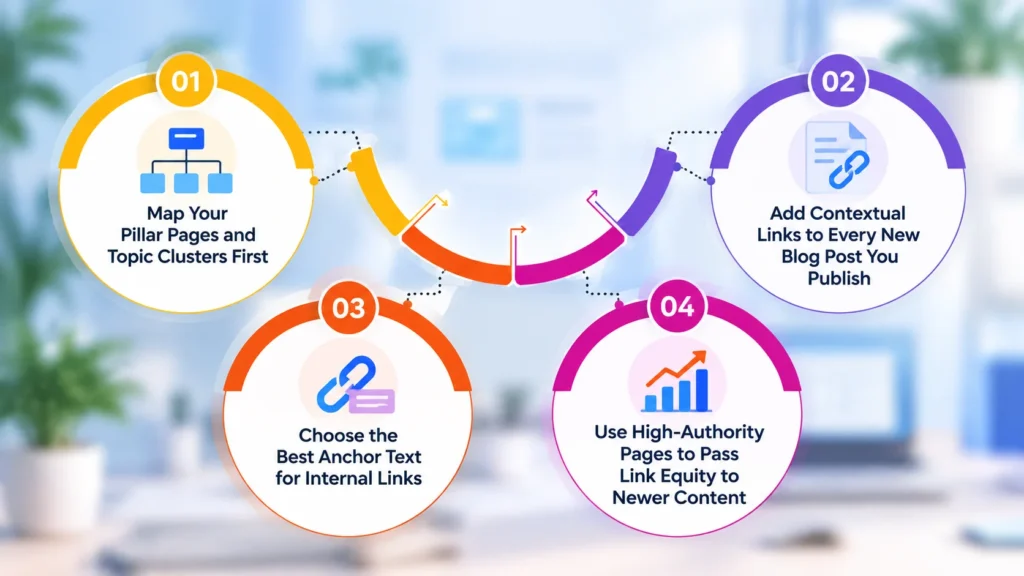
Step 01: Map Your Pillar Pages and Topic Clusters First
A pillar page covers a broad topic comprehensively and links out to more specific cluster pages. A topic cluster is the group of related posts that all link back to that pillar. For example, if your pillar page covers SEO Services, your cluster pages might include on-page SEO, technical SEO, keyword research, and internal linking strategy.
Every cluster page links back to the pillar. The pillar links to every cluster. This bidirectional linking structure shows Google and AI systems that a site has topical authority. It helps them find citation candidates for AI Overviews.
- Identify three to five pillar topics that represent your core service or content areas
- List five to ten cluster pages for each pillar covering specific questions within that topic
- Map the links in a spreadsheet before editing any pages
Step 02: Add Contextual Links to Every New Blog Post You Publish
Every new blog post you publish should link to at least two to three existing pages on related subtopics. Every existing page that covers a related topic should receive a link pointing to the new post.
This rule ensures no page is ever orphaned and every piece of content immediately becomes part of your site’s authority network. Use the Google site search operator: site:yourdomain.com and add your target keyword. This helps you find existing pages that mention the topic. These pages are good candidates for adding a contextual link.
Step 03: Choose the Best Anchor Text for Internal Links
The best anchor text for internal links is descriptive, concise, and tells the reader and Google what the linked page covers. Keep anchor text under five words. Avoid generic phrases like click here or read more, which give Google no information about the destination page.
Exact-match keyword anchor text is acceptable for internal links, unlike external backlinks, where over-optimized anchor text can be penalized. For example, linking with the anchor text “on-page SEO checklist” is more effective than “this article” when pointing to your on-page SEO guide.
- Use the target keyword of the destination page as the anchor text where natural
- Vary anchor text slightly across multiple links pointing to the same page
- Never use the same exact anchor text for links pointing to different pages
Step 04: Use High-Authority Pages to Pass Link Equity to Newer Content
Your most authoritative pages, the ones with the most external backlinks pointing to them, carry the most link equity. Adding internal links from these high-authority pages to newer, less-established pages passes a portion of that authority along the internal link.
This is one of the fastest ways to improve the ranking potential of new content without waiting months for external backlinks. Identify your five highest-authority pages with an SEO tool. Make sure each one links to at least three related pages that need better rankings.
How to Audit Internal Links on a Website and Fix Common Issues
To audit internal links on a website, check for six key issues that can hurt your rankings. Most websites have at least two of these issues even when they have been publishing content for years.
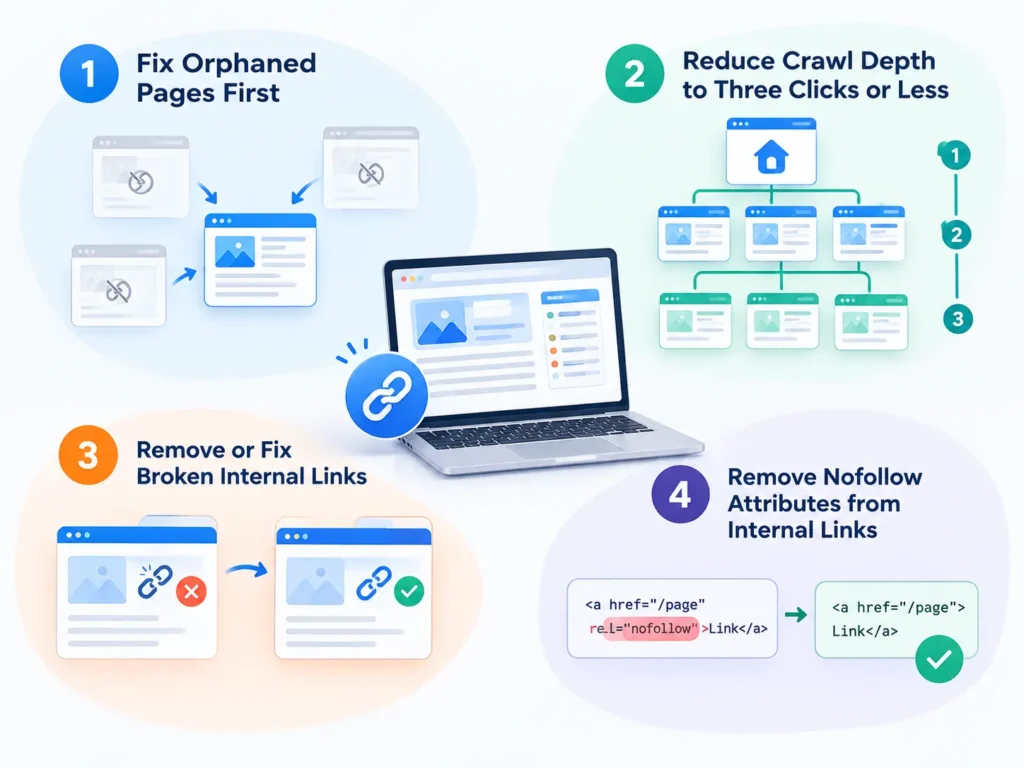
1. Fix Orphaned Pages First
Fixing orphaned pages is the top internal linking task for any website. An orphaned page has no internal links pointing to it from any other page on the site. Google relies on internal links to discover and index pages.
Orphaned pages are frequently unindexed, earn no PageRank, and receive no organic traffic regardless of how good the content is. Find orphaned pages by running a site audit using any crawler tool. Then link to each orphaned page from at least two topically relevant existing pages and add it to your topic cluster structure.
2. Reduce Crawl Depth to Three Clicks or Less
Crawl depth is the number of clicks from your homepage to a specific page. Google’s own documentation confirms that pages requiring more clicks from the homepage are treated as less important and rank lower in competitive searches.
Every page on your site should be reachable within three clicks from the homepage. Pages buried four or five clicks deep need a direct link. Add this link from a category page or a popular blog post that is closer to the homepage in your site hierarchy.
3. Remove or Fix Broken Internal Links
Broken internal links point to pages that no longer exist and return 404 errors. They pass no PageRank, confuse users, and signal poor site maintenance to Google. Update broken links to point to a live, relevant replacement page. Never leave a broken internal link unresolved for more than one site audit cycle.
4. Remove Nofollow Attributes from Internal Links
A rel=”nofollow” attribute on an internal link tells Google not to pass authority to the linked page. This is almost never intentional for internal links and is usually a CMS configuration error. Review your internal link audit results for any links with the nofollow attribute. Remove it so authority can flow freely through your site.
How Internal Linking Helps SEO and GEO in AI Search 2026
Most guides overlook how internal linking helps SEO and GEO in 2026 because the GEO dimension is new. Generative engine optimization helps your content get cited in AI-generated answers from Google AI Overviews, ChatGPT, and Perplexity. Internal linking affects this in two specific ways.
First, AI systems use the same crawl data Google uses. A site with strong topical authority has a clear pillar and cluster linking structure. This makes it more likely to be seen as an expert source on a topic and cited in AI-generated answers.
Second, cornerstone content and pillar pages that receive the most internal links become the most crawled and most re-evaluated pages on your site. AI systems are most likely to extract citation-worthy answers from these pages because your site’s hierarchy positions them as primary authorities.
Internal linking helps build topical authority faster. Connecting 8–10 related pages around one topic helps Google and AI systems understand your expertise and content depth.
Internal Links vs External Links: What Is the Difference and Which Matters More?
Internal and external links play different SEO roles. External backlinks bring authority to your website, while internal links distribute that authority across relevant pages and help Google understand your site structure.
| Internal Links | External Backlinks |
| Connect pages within your website | Come from other websites |
| Distribute authority across pages | Bring authority to your website |
| Strengthen topic relationships | Build credibility and trust |
| Help users and Google navigate | Support competitive rankings |
There is no fixed number of internal links for every page. Focus on useful, relevant links rather than quantity. For blog posts, add contextual links naturally wherever they genuinely help readers explore related content.
Conclusion
Internal linking helps Google discover, understand, and rank your content. Regularly fix orphaned pages, connect new posts to relevant content clusters, and link from high-authority pages. A strong internal linking strategy makes every new piece of content more valuable.
Mount Web Technologies has assisted over 350 clients in more than 30 countries. We boost SEO with smart internal linking. Our services include audits, topic clusters, anchor text optimization, and GEO-ready content structures. These strategies enhance rankings, crawlability, topical authority, and AI visibility.
Book Your Free SEO Strategy Session.
Frequently Asked Questions (FAQs)
Q1. What are internal links in SEO?
Internal links connect one page on your website to another, helping Google discover pages, understand site structure, and distribute ranking authority.
Q2. Why is internal linking important for SEO in 2026?
Internal links manage crawlability, distribute PageRank, signal topical authority, and determine AI Overview citation eligibility throughout your website.
Q3. How many internal links should a page have?
Aim for three to five contextual internal links per blog post. Keep total links per page under 100, including navigation and footer links.
Q4. What is the difference between internal and external links?
Internal links connect pages within your own site and distribute authority internally. External links point to or from other websites and bring outside authority in.
Q5. How to fix orphaned pages on a website?
Run a site audit to find pages with zero internal links pointing to them, then link to each from at least two topically relevant existing pages.
Q6. What is the best anchor text for internal links?
Descriptive anchor text under five words that includes the target keyword of the destination page. Avoid generic phrases like click here or read more.
Q7. How does internal linking help GEO and AI search visibility?
AI systems follow the same crawl structure Google uses. Strong topic clusters built through internal linking signal authority that improves AI Overview citation rates.
Q8. How to audit internal links on a website effectively?
Check for orphaned pages, crawl depth above three clicks, broken links, nofollow attributes on internal links, and pages with only one incoming link.