Quick Summary
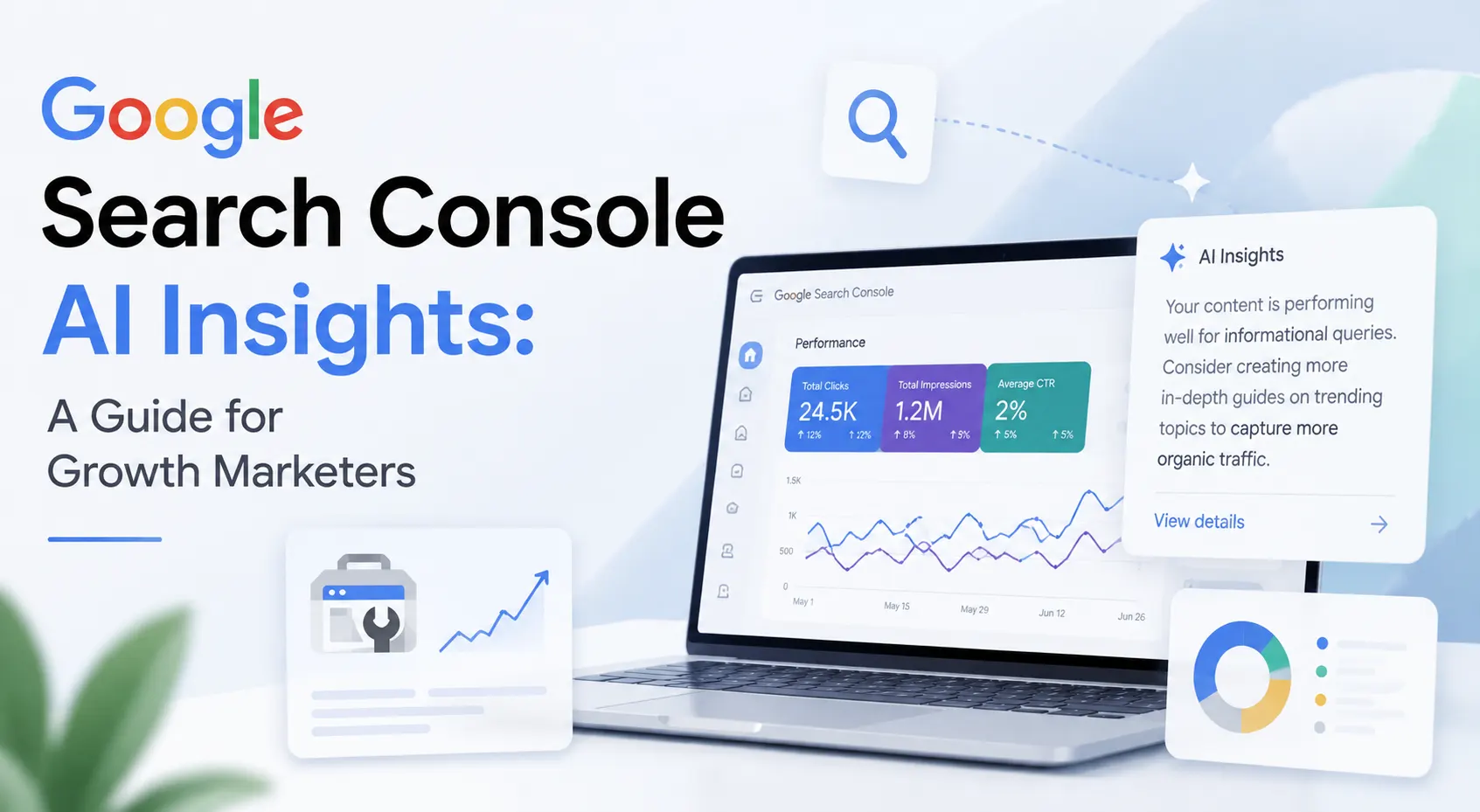
- Google Search Console AI Insights launched June 3, 2026, with dedicated generative AI performance reports covering AI Overviews, AI Mode, and generative AI features in Discover.
- The new Search Console generative AI performance report shows impressions, pages, countries, devices, and date granularity. Click data is not included yet, but Google has confirmed it is coming.
- Rising impressions with falling clicks is the defining signal of the AI Overview era. Understanding Google Search Console impressions vs clicks AI data is now a core growth marketer skill.
- Google Search Console’s AI features in 2026 let you see which pages appear in AI Overviews and AI Mode. You won’t need third-party tools for this.
- A zero-click SERP strategy built on AI impression data is now measurable and actionable for the first time, directly inside Search Console.
- This guide shows you how to use Google Search Console AI insights. You’ll learn to grow organic traffic, read new reports, fix CTR drops, and create a winning search strategy for both traditional and AI-powered search.
On June 3, 2026, Google published a quiet announcement on the Search Central Blog that changes how every growth marketer should approach organic search visibility. Google Search Console now offers AI Insights. These new reports show your AI impression data apart from traditional organic data for the first time. This is not a minor UI update. It is a new measurement category for a search landscape that has already shifted dramatically.
If you have been watching your impressions climb while your clicks stay flat or fall, you now have the data to understand exactly why. Google Search Console AI Insights show which pages appear in AI Overviews, AI Mode, and generative features in Discover. That information changes how you prioritize.
What is Google Search Console AI Insights, and Why It Launched Now
Google Search Console AI Insights focuses on one key change: it now has a separate reporting view for impressions from its generative AI features. This is distinct from your usual Performance report. Previously, AI impression data was folded into the overall performance numbers with no way to isolate it. Growth marketers couldn’t tell if a spike in impressions was due to traditional rankings or showing up in an AI Overview.
Official Launch
“Google announced the new Search Generative AI performance reports on June 3, 2026, via the Search Central Blog, authored by Hillel Maoz (Search Ecosystem Engineering Manager) and Moshe Samet (Product Manager Lead for Search Console). The rollout is currently limited to a subset of websites globally, with wider access expected over time.”
The timing is not accidental. AI Overviews and AI Mode now appear on a significant share of queries. Regulatory pressure, especially from the UK Competition and Markets Authority, has pushed Google to be more transparent with publishers. The result is the most useful native tool for understanding AI search visibility that has existed to date.
Google Search Console AI Features 2026: What the New Report Actually Shows
The Google Search Console AI features 2026 update introduces two dedicated report sections inside Search Console. One covers generative AI features within Search, including AI Overviews and AI Mode. The other covers generative AI features within Discover. Both reports expose the same five data dimensions.
| Data Dimension | What It Tells You |
| Impressions | How often your URLs appeared inside generative AI features on Search and Discover |
| Pages | Which specific URLs were shown inside AI-powered marketing results so you know what content is being cited |
| Countries | Geographic breakdown of your AI visibility so you can see which markets are engaging with AI results |
| Devices | Device types when your site appeared in AI Search results (available for Search, not Discover) |
| Dates | Performance tracked at hourly, daily, weekly, and monthly granularity for trend analysis |
The important limitation to understand right now is that click data is not included. The Search Console generative AI performance report is currently impression-only. Google has explicitly stated it is working with website owners to determine which additional metrics to add over time. CTR and click data for AI features will come, but there is no confirmed timeline yet.
How to Use Google Search Console AI Insights to Grow Organic Traffic
Understanding how to use Google Search Console AI data starts with finding the new report. In your Search Console account, find the Generative AI section in the left sidebar. You will see separate entries for Search results and Discover. If you do not see it yet, your property is in the queue for the rollout.
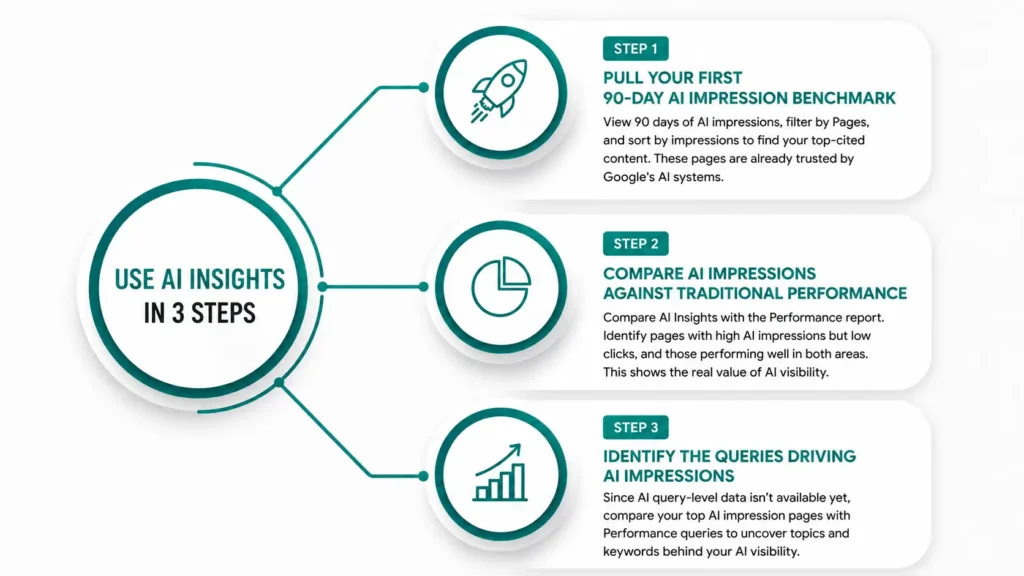
Step 1: Pull Your First 90-Day AI Impression Benchmark
The moment you get access, pull a 90-day view of your AI impressions. This is your baseline. Filter by Pages to see which URLs are earning AI citations. Sort by impressions descending to identify your top-cited content.
These pages are already trusted by Google’s AI systems, which means they have strong structural and authority signals. They are your highest-leverage pages for GEO optimization.
Step 2: Compare AI Impressions Against Traditional Performance
Compare your regular Performance report with the Generative AI report. If a page gets lots of AI impressions but few clicks, it is gaining visibility without traffic. If it gets both impressions and clicks, it is performing well in both areas. This helps you understand the real value of AI search exposure.
Step 3: Identify the Queries Driving AI Impressions
The Google Search Console natural language query analysis tool still does not show AI query-level data. Until Google adds this feature, compare your best AI impression pages with regular Performance report queries. This helps you identify the topics and keywords most likely driving your AI citations and visibility.
Pro Tip: Set up a weekly export of your Generative AI impression data into a Google Sheet. Track total impressions, top pages, and country breakdown week over week. This is your AI visibility trendline until Google adds more detailed metrics to the report.
How to Improve CTR Using Google Search Console Data in 2026
Optimizing click rates requires a distinct approach for traditional link listings versus automated overview displays. To handle these unique layouts, separate standard traffic patterns from brand visibility channels.
- Target Non-Automated Queries: Focus on highly specific, transactional, or localized terms where traditional search listings remain the primary traffic driver.
- Audit Performance Gaps: Identify specific landing pages that maintain high overall visibility but suffer from low user click volume.
- Refine Structural Snippets: Update title tags and meta descriptions to offer immediate, clear user value that encourages direct site visits.
- Monitor Indirect Impact: Track downstream metrics like branded search volume spikes and direct traffic trends to measure top-of-funnel brand impact.
Success is no longer measured solely by immediate site visits. When conversational features summarize your data, high visibility acts as a key point. It builds brand authority and helps attract users over the long term.
Google Search Console Impressions vs Clicks AI: What the Gap Is Telling You
When impressions climb and clicks fall, AI Overviews are answering your queries before users reach your link. Your page appeared inside an AI result. It did not earn a visit. That is not a failure. It is confirmation that Google’s AI trusts your content enough to cite it at scale.
Google Search Console impressions vs clicks AI data now separates these two signals for the first time. A rising AI impression count on a zero-click query means your brand is present at the moment of decision. Rising impressions with falling clicks in GSC means you need two responses. First, strengthen your brand authority in the mentioned content. Second, find out which high-intent queries still lead to traditional clicks. This way, you can prioritise protecting those pages.
Why Every Growth Marketer Needs to Check Search Console in 2026
One of the biggest trends in search today is that visibility and traffic are no longer the same thing. The Google Search Console AI features 2026 update means that a performance report showing only traditional clicks, impressions, and positions is now an incomplete picture of your search presence. Any site appearing in AI Overviews or AI Mode is generating value that does not show up in the clicks column.
Users often get answers directly from AI-generated search experiences without clicking a website. This has created a new challenge for marketers.
Many businesses are seeing:
- Higher impressions
- Lower click-through rates
- Stable rankings
- Reduced website visits
This is why the topic why every growth marketer needs to check Search Console in 2026 is becoming increasingly important.
Google has added new AI visibility reporting. This tool helps marketers see how often their content shows up in AI search results. Without this data, marketers may misinterpret performance trends and miss major opportunities.
How to Track AI Overview Impressions in Search Console
Understanding your footprint inside automated search features requires a systematic look at your performance data. Use this clear sequence to isolate and analyze your site’s conversational visibility.
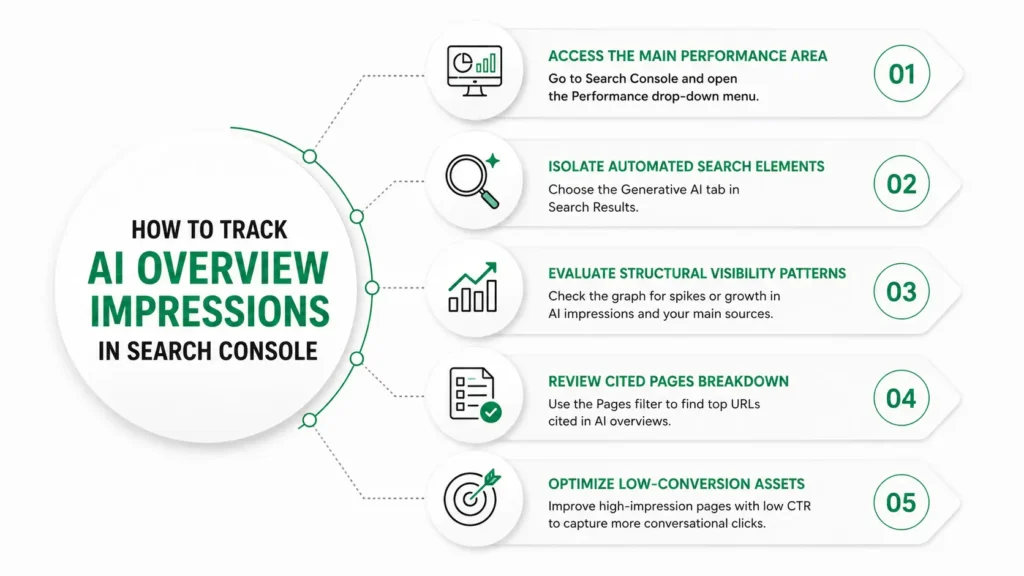
1. Access the Main Performance Area:
Log in to your Google Search Console dashboard. On the left side navigation panel, locate and click on the Performance drop-down menu.
2. Isolate Automated Search Elements:
Select the new Generative AI sub-tab in the Search Results section. This will separate automated summary data from regular organic blue link metrics.
3. Evaluate Your Structural Visibility Patterns:
Check the main graph for sudden spikes or steady growth in automated impressions. Track how often your URLs are the main sources.
4. Review the Cited Pages Breakdown:
Scroll down to the data table. Then, toggle the Pages dimension. This lets you see the specific, high-authority URLs that discovery engines use for user summaries.
5. Optimize Low-Conversion Content Assets:
Identify high-impression URLs that suffer from poor user click-through rates, expanding your topical coverage and refining your layout to capture more conversational clicks.
Mastering this operational workflow stands as one of the single most definitive ways to solve how to improve CTR using Google Search Console data in 2026. Check which pages are visible but don’t drive site navigation. Then, reshape your text summaries to highlight clear, action-oriented benefits. This will encourage users to click through.
Find Out What Your AI Search Footprint Looks Like
At Mount Web Technologies, we have already built AI visibility audits into our standard SEO reporting for every client. We track AI impression trends and compare them with traditional performance data. Then, we use this combined information to guide our content and technical recommendations. If your current agency is not yet doing this, you are making decisions without half the data. Contact our team to see what your AI search footprint actually looks like right now.
We’ll review your Google Search Console AI data. We’ll find out which pages are getting AI citations. Then, we’ll create a content and GEO strategy to boost your AI impressions and organic traffic. Free audit, no obligation. Book a free strategy session now!!
Frequently Asked Questions
Q1. What is Google Search Console AI Insights?
Google Search Console AI Insights are dedicated reports launched on June 3, 2026, showing how often your pages appear inside Google’s generative AI search features.
Q2. How do I track AI Overview impressions in Search Console?
To track AI Overview impressions in Search Console, find the Generative AI section in the sidebar and open the Search results report to see your AI impression data.
Q3. Why are my GSC impressions rising but clicks dropping?
GSC impressions can rise while clicks fall because AI Overviews provide answers directly on the results page. This means users can find what they need without visiting your site.
Q4. How do I use Google Search Console to grow organic traffic?
Using Google Search Console for growth begins by comparing AI impression pages with traditional click data. This helps you spot zero-click exposure and find dual-channel opportunities.
Q5. Does the new Search Console generative AI performance report show clicks?
The Search Console generative AI performance report currently shows impressions only. Click data is not yet included but Google has confirmed it is being added over time.
Q6. What does rising impressions with falling clicks mean in GSC?
Rising impressions and falling clicks in GSC show your content is cited in AI Overviews. Users see the answer but don’t click to visit your site.
Q7. How do I improve CTR using Google Search Console data in 2026?
To improve CTR using Google Search Console data, identify high-impression low-click queries where no AI Overview appears and test more specific title tags and meta descriptions.
Q8. What Google Search Console AI features were launched in 2026?
Google Search Console’s AI features for 2026 will have special Generative AI performance reports. These will cover Search results and Discover, showing impressions, pages, countries, devices, and dates.
Q9. How does the Google Search Console natural language query analysis tool work?
The Google Search Console natural language query analysis tool does not yet show query data for AI features. Cross-reference your AI impression pages with standard Performance report queries as a proxy.
Q10. What is a zero-click SERP strategy for impression growth?
A zero-click SERP strategy sees AI impressions as key brand exposure. It measures success by looking at branded search growth and direct traffic, not just click-through rates.
Q11. Who can access the Generative AI performance report in Search Console?
The generative AI performance report is currently rolling out to a subset of websites globally. If you do not see it yet, your property is in the queue for broader access.
Q12. Why does every growth marketer need to check Search Console in 2026?
Every growth marketer needs a Search Console in 2026. AI impression data shows a second layer of visibility that clicks and rankings alone can’t capture.