You’re publishing consistently. Your content is decent. But Google Discover traffic keeps skipping you – no impressions, no clicks, no traffic spike.
That’s not a content quality problem. That’s a signal problem. Google Discover doesn’t work like Search. It doesn’t wait for someone to type a query. It decides, based on technical signals, trust signals, and interest matching, whether your content deserves to land in front of thousands of readers automatically.
This post breaks down exactly what’s broken and how to fix it. So, let’s start without getting delayed!
Why Google Discover Is Now More Important Than Search for Publishers
Search is changing fast. Social reach is collapsing – organic reach on Facebook and Instagram has dropped below 2% for most publishers. AI-powered search from Google, ChatGPT, and Gemini is now answering questions directly, which means fewer clicks reach your site even when you rank.
Google Discover is different. It’s the last major passive traffic channel that sends high-intent readers directly to your content without them searching for it. It runs on the Google app, Chrome mobile, and Google.com on mobile, reaching over 800 million users.
If you’re a publisher and you’re not optimizing for Google Discover traffic, you’re leaving your biggest untapped audience channel completely closed.
Essential Considerations Before You Start Optimizing for Google Discover Traffic
Most publishers jump straight into technical fixes and wonder why nothing changes. Before any optimization works, Google Discover traffic needs three foundational signals in place. Miss any one of them and the rest of your fixes won’t move the needle.
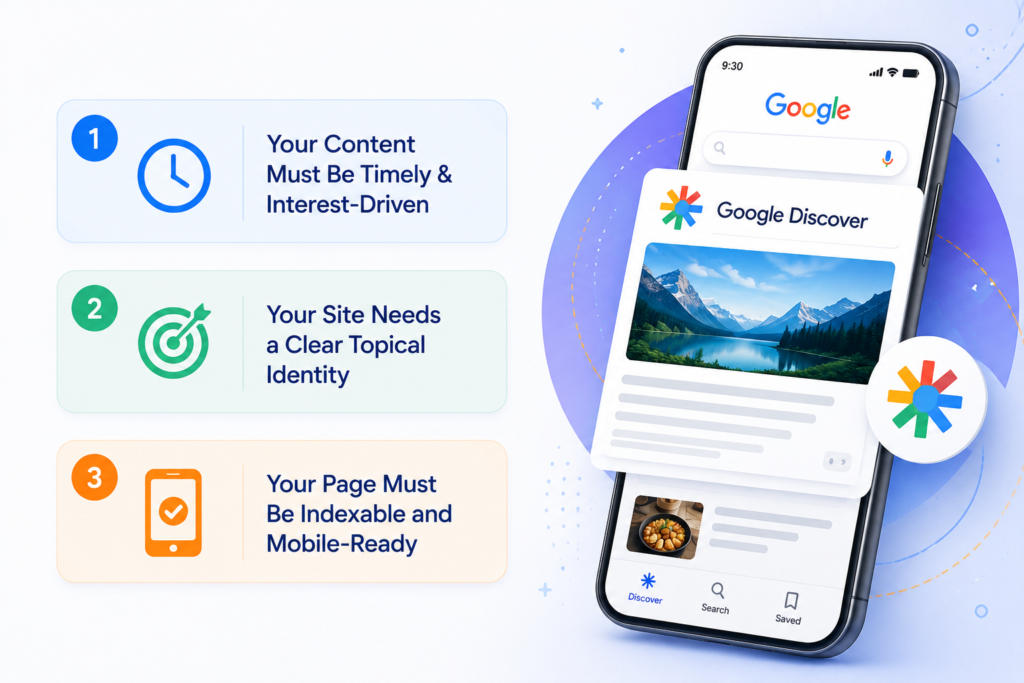
1. Your Content Must Be Timely & Interest-Driven
To drive Google Discover traffic, your content must align with current trends and real time user interest. Focus on fresh topics and what your audience is actively searching or engaging with right now.
2. Your Site Needs a Clear Topical Identity
A strong niche focus is key to effective Google Discover optimization. Consistently publishing within specific topics helps Google understand your authority and improves your chances of being recommended in Discover feeds.
3. Your Page Must Be Indexable and Mobile-Ready
Following Google Discover best practices, ensure your pages are properly indexed, mobile friendly, and fast loading. Technical issues can block eligibility, no matter how strong your content is.
How to Optimize for Google Discover
To increase Discover visibility and discover how to get Google Discover traffic, publish timely, mobile-optimized content with striking visuals. Additionally, you can learn how to get cited in Google AI Overviews by structuring your text with direct answers, bulleted lists, and strong topical authority that algorithms trust.
Publisher Profile: Google Needs to Know Who You Are
New sites and low-authority domains face challenges with Google Discover. This isn’t due to poor content. Rather, Google hasn’t established a clear publisher profile for them yet. This directly affects your ability to drive Google Discover traffic.
Google Discover uses a domain-level identity model. It looks at your publishing history, topic consistency, and on-site signals to decide if your site is a trustworthy content source worth recommending to users. How to accelerate your publisher profile:
- Publish consistently in one or two topic clusters, not random topics
- Build a detailed About page that clearly explains who runs the site and why
- Use visible bylines on every post, not “Staff Writer” but a real named author
- Get your site listed on Google News if you publish news-adjacent content
- Link your social profiles from your About page to give Google more identity signals
The faster Google recognizes our site as a legitimate publisher in your niche, the faster you start to increase Google Discover impressions.
Author Transparency and E-E-A-T Signals That Discover Trusts
Google’s E-E-A-T framework (Experience, Expertise, Authoritativeness, Trustworthiness) directly impacts Google Discover eligibility. Content from anonymous sources or sites with no clear author identity consistently underperforms in Discover.
Author transparency fixes:
- Every post needs a named author with a linked author bio page
- The bio page should list credentials, experience, and links to their social profiles or LinkedIn
- Add Author schema markup with sameAs links pointing to authoritative profiles (LinkedIn, Twitter, Wikipedia if applicable)
- Write content that shows first-hand experience — personal examples, real data, original screenshots
- Add a “Last reviewed by [Author Name]” line to evergreen content
E-E-A-T is not just a content signal, it is a technical implementation. If your author schema is missing or your author pages are thin, fix them before worrying about anything else to improve your Google Discover traffic.
Organization Schema and Site Trustworthiness
Google Discover SEO evaluates your entire site, not just the article. If your domain sends weak trust signals, individual articles won’t get distributed regardless of their quality.
The organization schema tells Google who legally operates the site. Add it to your homepage, and it should include the following:
- @type: Organization
- name, url, logo
- sameAs links to your verified social profiles
- contact point with a real email or contact method
Beyond schema, these site trustworthiness signals matter:
- Active SSL certificate (HTTPS, not HTTP)
- A real Privacy Policy and Terms of Service page
- A working Contact page
- No broken links or crawl errors in Google Search Console
- Clean ad placement pages with aggressive ad layouts are suppressed in Discover
Trust is a domain-level score. Build it once, and it compounds over every piece of content you publish.
Core Web Vitals: The Technical Gate You Must Pass
Core Web Vitals are a confirmed ranking factor for Google Discover traffic. Google uses real world field data from Chrome users, not just lab scores, to evaluate your pages. The three metrics that matter:
| Metric | What It Measures | Good Threshold |
| LCP (Largest Contentful Paint) | How fast main content loads | Under 2.5 seconds |
| INP (Interaction to Next Paint) | How fast page responds to clicks | Under 200ms |
| CLS (Cumulative Layout Shift) | How much the page jumps while loading | Under 0.1 |
How to Track & Grow Google Discover Traffic in Search Console
You can’t fix what you can’t measure. Google Search Console has a dedicated Discover report and most publishers either don’t check it or don’t know how to read it.
How to access it: GSC → Performance → Choose “Discover” from the Search type dropdown
What to look at:
- Impressions: how many times your content appeared in Discover feeds
- Clicks: how many users tapped through
- CTR: a healthy Google Discover CTR sits between 5–15%; below 3% means your headline or image needs fixing
- Top performing pages: identify which topics Discover already favors on your site and double down
If you see zero impressions in 30 days, your site isn’t in Discover’s eligible pool yet. So, focus on your publisher profile, E E A T, and image fixes first. This will help improve your Google Discover optimization. Once impressions start appearing, low CTR usually points to weak headlines or featured images rather than just technical issues.
Common Mistakes That Kill Google Discover Traffic
Most publishers don’t have a content problem, they have an execution problem. Fix these and you will start to see movement in your Google Discover.
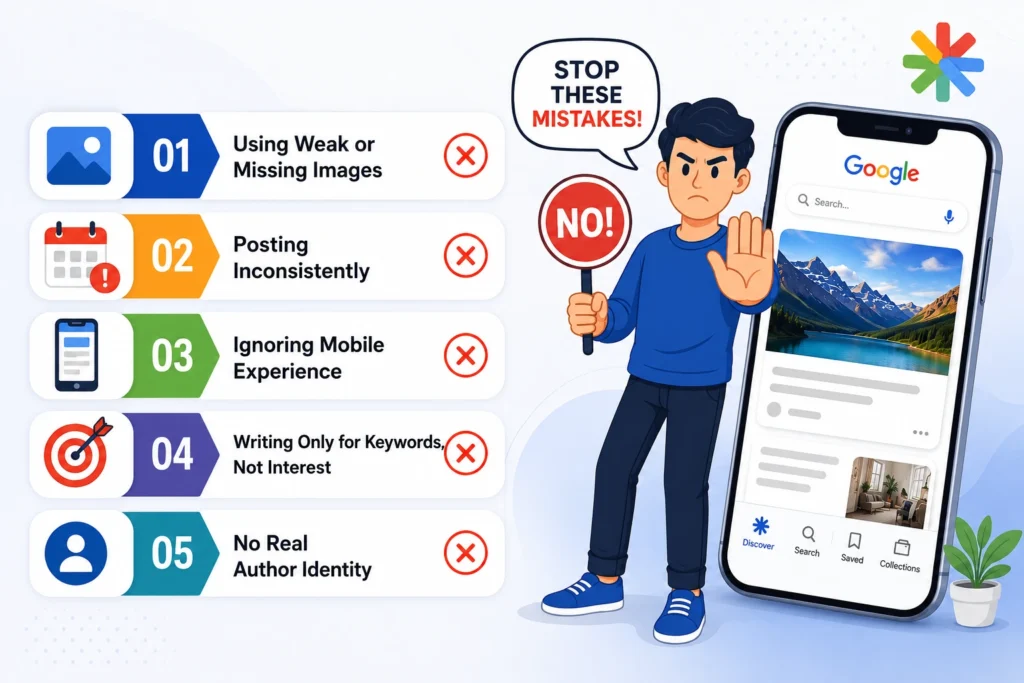
1. Using Weak or Missing Images
Your featured image is the first thing users see. If it’s low quality, irrelevant, or missing the right preview settings, Discover skips it. Strong visuals are critical to increase Google Discover impressions.
2. Posting Inconsistently
Publishing randomly confuses Google. One week you’re active; the next week you disappear. Discover prefers predictable publishers. Consistency is a core part of Google Discover optimization and building trust.
3. Ignoring Mobile Experience
Discover is mobile-first. If your site loads slowly or feels clunky on mobile, your content won’t get pushed. Smooth performance is non-negotiable for Google Discover SEO success.
4. Writing Only for Keywords, Not Interest
Content written just to rank on Google often fails in Discover. You need curiosity, angles, and relevance. Think about what people want to read, not just what they search for.
5. No Real Author Identity
If your posts say “Admin” or “Team”, you’re killing trust. Discover wants real people behind content. Strong authorship directly impacts your Google Discover traffic and credibility.
Conclusion
Google Discover is not about publishing more content, it is about sending the right signals. When your content, technical setup, and trust factors align, Google Discover traffic starts to grow. Focus on consistency, clarity, and user interest to make it work.
Ready to Audit Your Site for Discover Eligibility? If your site is not getting results, it is time to fix what is holding it back. At Mount Web Technologies, we identify gaps, improve signals, and execute complete Google Discover optimization strategies. This will help your content reach the right audience and drive consistent visibility. Book a strategic call today!
Frequently Asked Questions
Q1: Why is my content not showing on Google Discover even though it ranks on Google Search?
Search ranking and Discover eligibility use different signals. Discover requires large images (1200px+), the max-image-preview:large tag, strong E-E-A-T signals, and good Core Web Vitals. You can rank #1 in Search and still be completely absent from Discover if any of these signals are missing.
Q2: How long does it take to get Google Discover traffic after fixing technical issues?
Most publishers start seeing Discover impressions within 2–4 weeks of fixing their image tags, Core Web Vitals, and author signals provided they’re publishing consistently. New domains with no Discover history may take 6–8 weeks as Google builds a publisher profile for the site.
Q3: What image size does Google Discover require?
Google Discover requires a featured image of at least 1200px wide. You also need to add the max-image-preview:large meta tag in your page’s <head> section. Without this tag, Google won’t display large preview images regardless of your image dimensions.
Q4: Does E-E-A-T affect Google Discover traffic?
Yes. Google uses E-E-A-T (Experience, Expertise, Authoritativeness, Trustworthiness) as a core signal for Discover eligibility. Sites with anonymous authors, sparse About pages, and no Author schema tend to get less Discover distribution. In contrast, sites with clear author identity and credentials perform better.
Q5: How do Core Web Vitals impact Google Discover impressions?
Core Web Vitals are a confirmed Discover factor. If your LCP is above 2.5 seconds, INP above 200ms, or CLS above 0.1, Google suppresses your content in Discover feeds. Google uses real Chrome user data (CrUX field data) — not just PageSpeed lab scores — to make this evaluation.
Q6: How do I check my Google Discover traffic in Search Console?
Go to Google Search Console → Performance → click the “Search type” dropdown → select “Discover.” This report shows impressions, clicks, and CTR for your content in Discover feeds. Note: the report only appears once your site has received a minimum threshold of Discover impressions.
Q7: What type of content gets the most Google Discover traffic?
Timely, interest driven content performs best on Discover. Focus on trending topics within 48 to 72 hours, use strong headlines, engaging angles, and large images to improve visibility and reach.
Q8: Can a new website get Google Discover traffic?
Yes, but it takes longer. New sites must build a publisher profile first with consistent topics, real About page, named authors, schema, and strong signals. Most see Discover impressions in 60–120 days.