Google AI Overviews

Google AI Overviews now cover 48% of all searches – What it means for your website

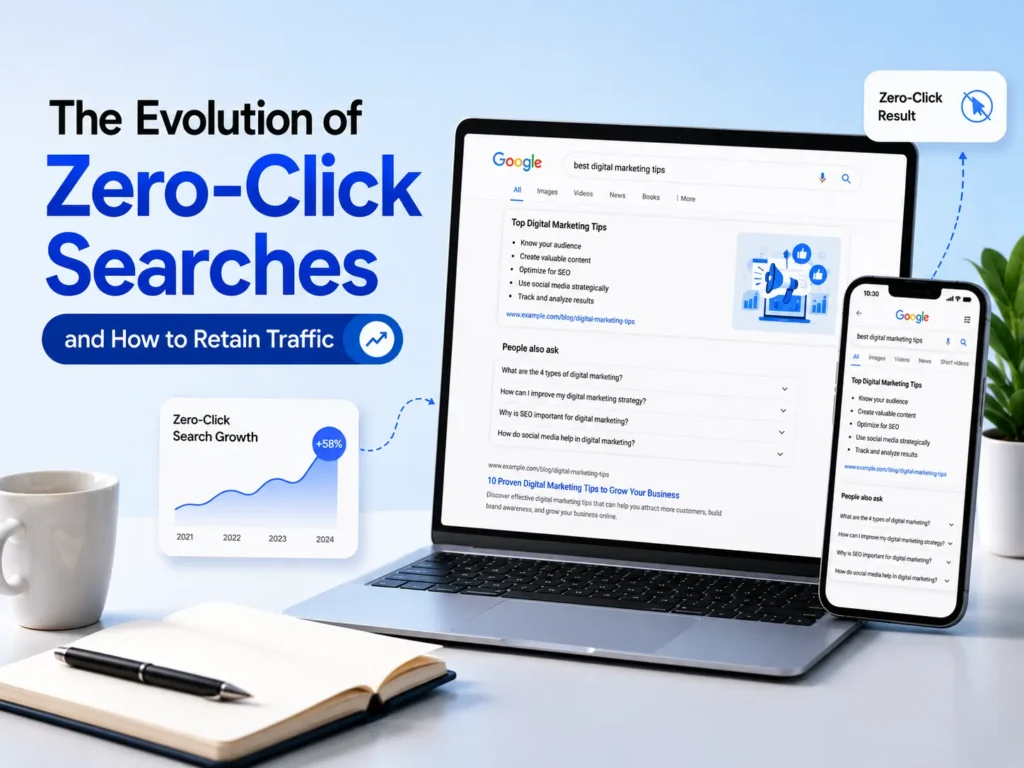
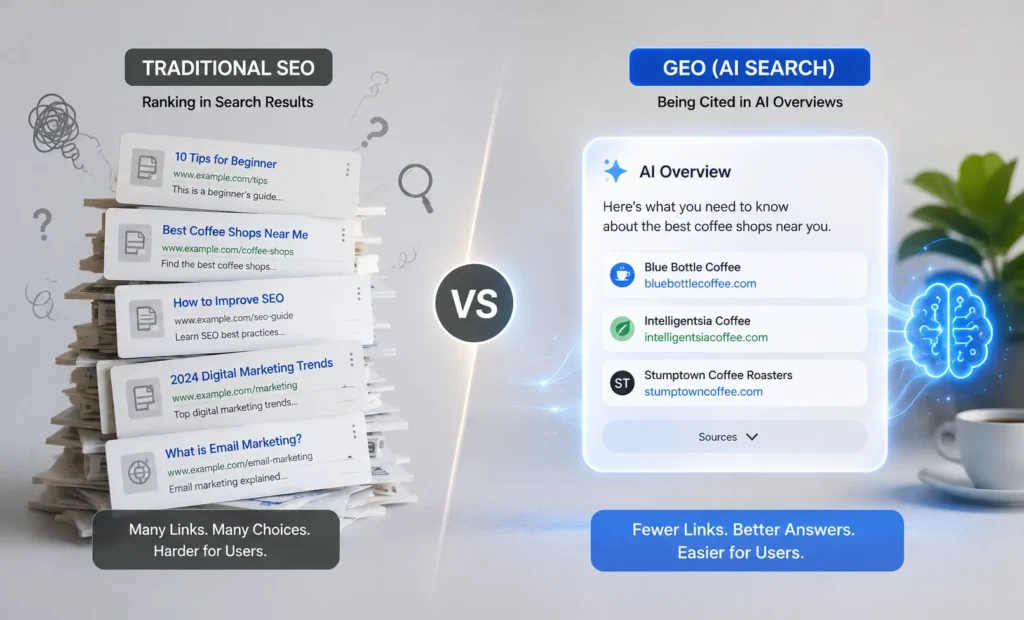
Quick Summary Google AI Overviews now appear on 48% of all searches, up 58% from early 2025 — this is no longer optional to understand. Organic CTR drop is real: queries with an AI Overview triggered a 61% fall in click-through rates for uncited sites. Google AI search 2026 has shifted to AI Mode as the default for millions of users, following the Google I/O 2026 Announcement with 93% of those sessions ending zero-click. Sites cited in AI Overviews earn 120% more organic clicks per impression than uncited competitors on the same query. AEO strategy (Answer Engine Optimisation) is now a parallel discipline to SEO – not a replacement, but a necessity. Small and mid-size websites can still win – the citation model favours depth, authority, and structure over domain size alone. If you checked your Google Search Console last month and noticed a quiet drop in clicks with impressions still rising, you are not imagining things. Something real changed. Google AI Overviews now show up on nearly half of all searches. Google answers the question before the user ever reaches your website. Your content may be doing everything right and still losing the click. This is not a future problem. It is happening right now. And the agencies and businesses that understand it early are the ones that will stay visible in Google AI search 2026 while everyone else tries to figure out why their traffic dropped. Here is what is actually going on, what the numbers say, and exactly what you can do about it today. What Are Google AI Overviews? A Quick Refresher on Google AI Search 2026  Google AI Overviews are AI-generated summary boxes that appear at the very top of Google search results. They pull information from multiple web pages, synthesize an answer, and present it to the user directly inside the search results page with no click needed. Powered by Google Gemini search integration, these overviews were rolled out globally in May 2024 and have grown faster than almost any other Google feature in search history. By early 2026, they will appear in over 200 countries and 40+ languages. Think of them as Google’s way of becoming the answer, not just the search engine that points to answers. That is a fundamental shift in the 25-year-old model of organic search. How Does Google AI Overview Affect My Website Traffic? This is the question most website owners are asking in 2026 and the data is now clear enough to answer honestly. Why Did My Google Traffic Drop After AI Overview? If your traffic has declined in the past 6 to 12 months, AI Overviews’ SEO impact is very likely part of the story. Here is what is happening mechanically. When a Google AI Overview shows up for a query, it takes the top spot. This pushes your organic result down, often below the fold. Users get the answer they came for and leave. The net result: even a page ranking in position 1 can see its CTR cut in half if an AI Overview is present above it. Sites that are not cited inside the overview face the steepest drop. Sites that are cited can actually gain traffic. Seer Interactive’s 2026 data shows that cited brands get 120% more clicks per impression than uncited competitors for the same query. Which Content Types Are Hit Hardest? Informational articles and how to guides are now commonly triggering AI Overviews directly in search results. Definition pages, glossary content, and FAQs are often answered directly inside the AI generated box. Top 10 lists and comparison articles are increasingly being summarized without users clicking through to websites. Transactional and product pages are less impacted right now. Users still like visiting websites to make purchases. What About Small Websites? Can small websites rank in Google AI Overviews? Yes and this is one of the most important points to understand. The citation algorithm does not weight domain authority the way traditional ranking does. A focused, well-structured page on a smaller site can and does get cited when it provides a clear, authoritative answer. Depth, specificity, and format matter more than size. SEO vs AEO in 2026: What Is the Difference? The question of what is the difference between SEO and AEO in 2026 is coming up in every serious marketing conversation right now. SEO (Search Engine Optimization) AEO (Answer Engine Optimization) Optimizes pages to rank in the 10 blue links Optimizes content to be cited inside AI-generated answers Focuses on keywords, backlinks, and technical health Focuses on direct answers, schema, and entity structure Success = top ranking position Success = being the source Google AI quotes Traffic measured by clicks to your site Value measured by brand visibility and citation authority Question-format keywords drive rankings Answer format: the first sentence directly answers the query Answer engine optimization (AEO) is not a replacement for SEO — it is an extension. In 2026, you need both running in parallel. SEO keeps your pages visible in traditional results. AEO makes sure those pages are structured in the format AI systems prefer to cite. 2026 Data: How AI Overviews Have Grown Across Industries BrightEdge tracked AI Overview presence across key industries from February 2025 to February 2026. The growth is not uniform, and some sectors have already been transformed almost completely. Here is where your industry stands today. What this means in plain terms: Google just changed how half the internet finds information. If your business relies on search traffic, now is the time to adapt. Don’t wait for another quarter of decline. The rise of Google AI search 2026 also means that brand mentions inside AI answers are becoming a new form of digital real estate. Being cited does not always drive a click but it builds brand familiarity at the exact moment someone is researching a purchase or a service. That is a powerful position to occupy, even without a click. How to Get My Website Cited in Google AI Overviews: 7 Actionable

How To Get Your Site Mentioned In Google AI Overviews

Quick Summary How to get cited in Google AI Overviews is no longer about ranking #1 – Only 38% of cited pages hold a top 10 position for the same query in 2026. Google I/O 2026 revealed Gemini 3.5 Flash as the new default AI model. This update rebuilds the search box for the first time in 25 years. It also marks over 1 billion monthly users in AI Mode. AEO strategy (Answer Engine Optimization) and topical authority SEO are now the real ranking levers for AI search visibility. E-E-A-T AI Overview signals-named authors, verifiable credentials, specific statistics—decide which pages get cited, not just which pages rank. The AI Overview citation strategy 2026 requires structured content, FAQPage schema, and direct answers placed in the first 200 to 300 words of every key section. If you checked your Google Search Console recently and noticed impressions going up but clicks staying flat, you are not alone. This is happening across India and globally, and it has a name: Google AI Mode. How to increase google discover traffic is the question every serious website owner and digital marketer needs to answer in 2026. Not “how do I rank #1.” Not “how do I get more backlinks.” The question is, does Google’s AI mention your brand, cite your content, and point users to your pages when it generates an answer? If the answer is no, you are invisible to a growing share of search traffic, and that share is growing fast. Google I/O 2026 happened on May 19, 2026. What was announced that day will affect every website in India that relies on organic search. This blog breaks down what changed, why it matters, and the exact steps you need to take so your site gets cited rather than skipped. What Is Google AI Mode and How Does It Work? Google AI Mode is no longer a feature sitting on the side of search results. As of May 2026, it has crossed 1 billion monthly users. Liz Reid, Google’s Head of Search, confirmed that queries in AI Mode have more than doubled every quarter since launch. Here is how it works in simple terms. When a user types a question into Google, Gemini 3.5 Flash—the new AI model from I/O 2026—takes over. It processes the query and breaks it into smaller questions. Then, it scans thousands of web pages. After that, it puts together an answer and cites 3 to 8 sources that back it up. The user reads the AI answer first. The cited links sit below it. Your goal is to be one of those 3 to 8 cited links. Being in position 5 organically still matters, but being cited in the AI answer is now the new position zero. This is the shift most Indian websites have not yet responded to. How Does Google I/O 2026 Affect SEO? What did Google announce at I/O 2026 for SEO? Quite a lot. Four announcements directly change how your website gets discovered: Announcement What It Means for Your Website Gemini 3.5 Flash becomes default AI model AI Overviews analyze quality and entity relationships deeply Search box redesigned for first time in 25 years Multimodal queries using video, images, and tabs are mainstream Information agents go live Systems monitor the web continuously, requiring fresher content updates Personal Intelligence expands to 200 countries Results vary by user history across Gmail and Photos The key headline for Indian businesses is how to rank in Google AI Mode search results for 2026. Now, it focuses on content structure, entity authority, and schema, rather than just keyword placement and backlinks. What Is Gemini 3.5 Flash and Why Does It Matter for Search? Gemini 3.5 Flash is Google’s most capable model, designed for speed and action. It beats Gemini 3.1 Pro in nearly all benchmarks. Plus, it generates output tokens about four times faster than other leading models. What is Gemini 3.5 Flash, and why does it matter for search? A faster, smarter AI model helps Google evaluate more pages. It can weigh content quality signals better and choose sources more carefully. Surface-level keyword optimization will not satisfy it. Real depth, specific data, and verifiable expertise are what earn a citation. Google is now processing over 3.2 quadrillion tokens every month—up from 480 trillion at I/O 25. More queries handled by a smarter model mean your content fights harder for a citation spot. The bar is higher. The reward is greater. What Is Generative UI in Google Search and How Does It Affect Citations? What is generative UI in Google Search? At I/O 2026, Google added Antigravity’s coding features to Search. This lets AI create dynamic interfaces quickly for complex queries. Instead of returning a list of links, Google can now build a custom interactive experience directly inside the search result. For questions like “how to improve SEO,” “how to do SEO maintenance,” or “what is topical authority,” the AI still references sources. But for product, booking, and service queries, generative UI can complete the action without a click. This is why getting featured in Google AI matters more than just ranking. AI builds dynamic interfaces using brands that have strong SEO authority. These brands own a subject fully, rather than just focusing on single keywords. Build Content Clusters, Not Isolated Pages Google’s AI uses a “fan-out” process, breaking your query into many sub-queries and searching for the best answer to each. A single well-optimized page earns one citation. A content cluster that covers a topic from every angle earns citations across multiple sub-queries. Named Entities Signal Real Expertise Your content should mention real people, real studies, real statistics with dates, and real business names. The AI model looks for verifiable entity signals. A page that says “experts recommend” gets skipped. A page that says “According to Ahrefs’ 2026 analysis, 62% of cited pages do not rank in the top 10” gets cited. Consistent Publishing Signals Topical Depth One great article is not enough. Google’s information agents are now monitoring the

Google I/O 2026 Recap

Google I/O 2026 Recap: How The New AI Mode Search Bar Changes SEO Forever

What You Will Learn What Google I/O actually is and why 2026 is a turning point Google AI overview 2026 now appears in 48% of all searches globally The new Intelligent Search Box accepts images, files, videos, Chrome tabs — not just text AI agents run 24/7 reading your website whether a human searches or not Google beats ChatGPT search 2026 by making AI the default, not an option Simple actions you can take right now to stay visible in Google AI search 2026 On May 19, 2026, Sundar Pichai walked on stage at Google I/O and said something that made every SEO professional sit up straight: “This is the biggest upgrade to our Search box in over 25 years.” Not just the results. Not just the ranking algorithm. The interface that 8 billion people use daily to find information was completely rebuilt. It runs on the Gemini 3.5 Flash default search model and focuses on AI-first interactions. For anyone managing a website, running an agency, or trying to grow organic traffic in India or globally, Google I/O 2026 AI Mode SEO impact is the most important development you need to understand right now. This blog breaks it down in plain terms: what changed, what it means for your rankings, and what to do next. What Is Google I/O and Why Should You Care? Quick Explainer Google I/O is Google’s annual developer conference held every May in Mountain View, California. The “I/O” stands for Input/Output – a computer science term. Think of it as Google’s biggest announcement event of the year, like Apple’s WWDC but for Google. Every year, Google reveals major updates to Search, Android, AI models, and developer tools. Marketers, SEO professionals, and website owners closely monitor these announcements. What Google reveals here shapes how billions of people find content for the next 12 months. The 2026 edition on May 19 and 20 was unlike any past I/O. For the first time, Google didn’t just add a feature to Search. It rebuilt the foundation of how Search works. What Changed in Google Search After I/O 2026 Five major changes were announced at Google I/O on May 19, 2026. Each one has direct consequences for how websites get found. 1. Intelligent Search Box  The classic single-line text field is gone. Google replaced it with what it calls the Intelligent Search Box. It expands dynamically as you type, accommodates long conversational queries, and accepts images, documents, videos, and Chrome tabs as inputs. Google search redesign explained in one sentence: the search bar is now a Gemini prompt window with a search engine running underneath it. 2. Gemini 3.5 Flash as the Default Model Gemini 3.5 Flash default search model, powers AI Mode for every user globally starting May 19. It is faster, smarter, and handles long conversational queries in seconds. AI Mode queries have more than doubled every quarter since launch. Sundar Pichai confirmed AI Mode now has over 1 billion monthly active users – just one year after it launched. 3. Background AI Agents This is the part most SEOs have not fully absorbed yet. Google’s background AI agents reading your site now run around the clock, monitoring the web on behalf of users for topics they care about  If someone sets an agent to track “apartment rentals in Bangalore under 30,000 rupees,” that agent is crawling, reading, and filtering websites continuously. Google’s AI agents are watching the web for you, it is not a headline – it is the new reality of how content gets surfaced. 4. AI Overviews and AI Mode Are Now One Experience There is no longer a separate “AI tab”. Users flow from a normal result to a Google AI overview 2026 to a full AI conversation – all on the same page, without clicking anything. The SERP structure 2026 is one unified surface. If your content is not cited on that surface, users never see it, even if you rank on page one. 5. Personal Intelligence Went Global Google now pulls from your Gmail, Photos, and YouTube history to personalise search results. Two people searching the same query in the same city get different answers. This was previously only for paid US subscribers. From 19 May, it works in nearly 200 countries, including India, with no subscription needed. How Google AI Mode Affects Website Traffic: The Data for 2026 The question every website owner is asking: does Google AI Mode reduce organic traffic to websites? Yes, it matters. The impact depends on if your site is mentioned in AI answers or not. 1B+ monthly AI Mode users, one year after launch (Google I/O 2026) 48% of all Google queries trigger an AI Overview (Ahrefs, March 2026) 2x to 3x longer than average AI Mode query vs traditional search query The Google Search Console impressions vs. clicks gap is widening for most sites. Impressions stay stable or grow because your pages still get indexed and referenced. But clicks drop because users get answers directly inside the AI Overview without visiting your site. Sites cited inside AI answers are the exception – they see more qualified clicks per impression, not fewer. AI Overview’s click-through rate drop for uncited pages reached 61% on affected queries according to Seer Interactive’s 2026 analysis. The traffic did not disappear. It shifted to cited sources. That is where the opportunity sits. AI Mode vs Traditional SEO Ranking Strategy in 2026 Understanding AI Mode vs traditional SEO ranking strategy in 2026 is the difference between adapting now and losing ground for the next two years. Traditional SEO (Before 2026) AI Mode SEO (After Google I/O 2026) Target short keywords Answer full conversational questions Rank in the 10 blue links Get cited inside the AI Overview answer Success = Position 1 Success = being the source Google AI quotes Traffic comes from clicks Visibility comes from AI citations plus clicks Update content once a year Keep content fresh for 24/7 background agents Is traditional SEO dead in 2026? No — but

ChatGPT SEO

How ChatGPT uses SEO to drive growth and revenue

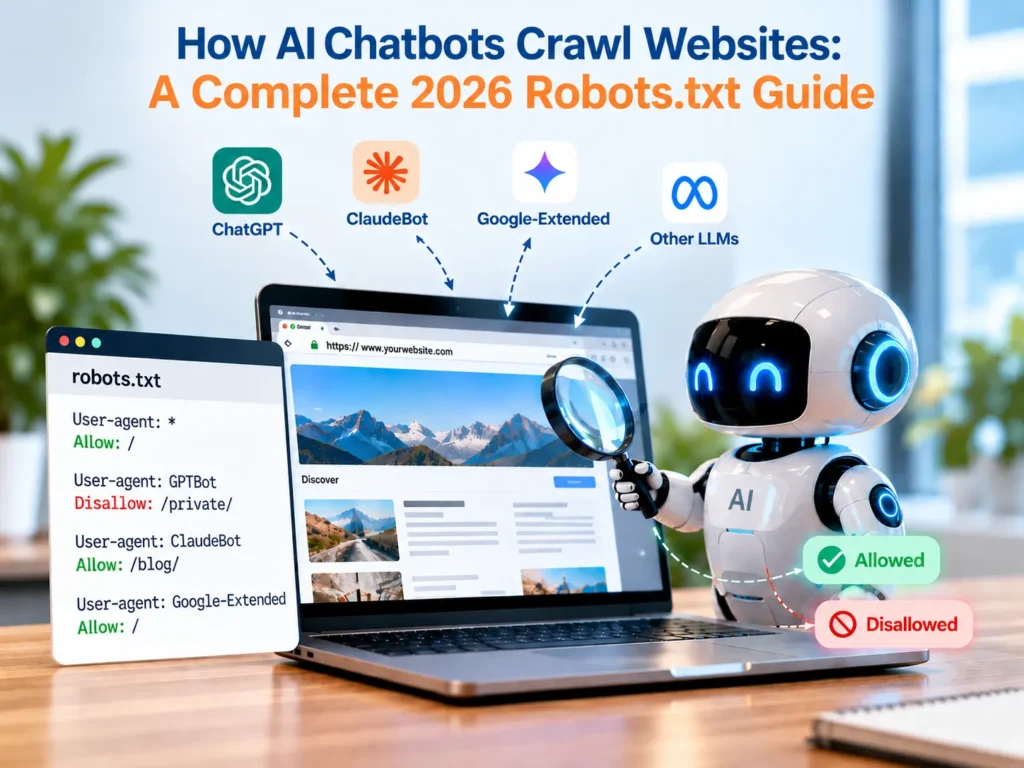
ChatGPT is the 5th most-visited website in the world. It has never run a single paid ad. Here is exactly how it happened and what you can learn from it. In September 2025, Sam Altman announced that ChatGPT had crossed 800 million weekly active users & nearly 10% of the world’s adult population. The site now receives 5 billion visits every single month and ranks as the 5th most visited website globally.   No Super Bowl ad. No billboard. No Google Ads campaign. Just product, content, and code working together in a loop that most companies have not built yet. That loop is what we now call ChatGPT SEO – a system where visibility, user intent, and content scale compound without paid acquisition. This blog breaks down exactly how that loop works. We’ll use a simple framework called the 3Cs – Code, Content, and Conversions – to show you what OpenAI built, why it works, and what you can steal from it starting today. No jargon. No fluff. Just the actual mechanics. First, Let’s Clear the Confusion: Is ChatGPT Killing SEO or Using It? Before we talk about what ChatGPT is doing with SEO, we need to address the headline that’s been circulating for two years: “SEO is dead because of AI.” It isn’t. But the fear is real, and it deserves a real answer. The “SEO is dead” claim is based on real fear, not real data Some marketers said traffic dropped by 40–50% in 2025. They declared SEO was over. But these claims come from small, biased samples, not reliable data. When you look at large scale analysis, the picture changes completely and supports a clearer reality: ChatGPT didn’t kill search traffic. Analysis of 40,000+ major US websites showed organic SEO traffic dropped by only 2.5%, not 40% Google’s own traffic increased by 0.8% in 2025 Visitor growth rose by 1.4% in Q4 2025 compared to Q4 2024 SEO is not disappearing, it is evolving. Some industries like news, health, cooking, and entertainment saw sharper declines, while categories like shopping, clothing, and marketplaces actually grew. This shift matches how AI platforms work. Visibility, intent, and user behavior feed systems like the OpenAI revenue model. So, search isn’t dying; it’s just being reshaped. What actually caused the traffic drop and it’s not ChatGPT Most people are blaming ChatGPT for the drop in clicks, but that is not what the data shows. The real shift started when Google rolled out AI Overviews in March 2025. Impressions and rankings stayed stable, which proves clicks were being captured earlier, not lost due to ChatGPT SEO. CTR dropped from 15% to 8% when AI Overviews appeared, with total click volume falling by up to 58%. This clearly shows Google added a zero click layer above organic results. The change comes from product design, not any flaw in ChatGPT growth strategy or SEO itself. What is ChatGPT actually doing to search? ChatGPT has absorbed the top of funnel queries, the quick definitions, how-to searches, and basic comparisons people used to make on Google. It replaces the first one or two searches in a user’s journey, not the entire journey. This shift is why understanding how ChatGPT drives organic traffic matters more than ever. Here is how it actually works. A user asks ChatGPT, “What CRM should I use?” and gets a comparison instantly. Then they move to Google and search “Salesforce vs HubSpot pricing.” That second search is high intent and still lands on organic results. ChatGPT didn’t kill search traffic. It changed where users enter the funnel. Brands that rely solely on generic top content are losing visibility. In contrast, those investing in AI content for SEO and high-intent pages are gaining an advantage. How ChatGPT Became One of the Biggest SEO Winners Without Ads The same tool people say is killing SEO runs one of the most aggressive organic search strategies on the internet. The numbers most people haven’t seen: Comparative SEO Performance: ChatGPT vs. Competitors  Metric ChatGPT (OpenAI) Perplexity AI Claude (Anthropic) Total Monthly Visits 5.2 Billion 206 Million 219 Million Organic Search Traffic 76.5 Million 1.7 Million 908,000 Google Branded Searches 45.5 Million 1 Million 500,000 Keywords Ranked 287,800 184,800 36,000 Direct Traffic Share 80.29% ~70% ~65% Annual SEO Talent Spend $600,000 Not Publicly Disclosed Not Publicly Disclosed The numbers clearly show this is not accidental growth. It is a calculated ChatGPT growth strategy where brand demand, organic reach, and product experience work together to dominate search without relying on paid ads or traditional marketing channels. The 3Cs Growth Engine: Code, Content, and Conversions C1 (Code): The Technical Setup That Commands Google’s Respect Most people think technical SEO is a developer thing. It is not. It simply means making your site easy for Google to read, and OpenAI does this better than almost anyone. This is a core part of ChatGPT SEO. Two things worth copying from ChatGPT’s setup robots.txt done right: Most sites leave this file on default. OpenAI does not. Their setup includes multiple sitemaps, explicit crawler rules, and a clear separation. These are between three crawlers: GPTBot for training, OAI SearchBot for real-time answers, and ChatGPT User for live browsing. This is intentional infrastructure, not an afterthought. Clean, keyword-rich URLs: URLs with real words get 45% higher CTR compared to random strings. Across 287K pages, that becomes a compounding ranking signal. The thing most site owners are missing right now If you have a blanket ‘Disallow: /’ in your robots.txt, you’re invisible in ChatGPT answers, Google AI Overviews, and Perplexity. Your competitors fill that space instead. Understanding the OpenAI revenue model makes this clearer: GPTBot feeds training data, while OAI-SearchBot and ChatGPT-User power the paid product – ChatGPT’s real-time answers. Blocking the retrieval crawlers cuts you out of the product people are actually paying to use. # Standard search engines — always allow User-agent: Googlebot Allow: / User-agent: Bingbot Allow: / # AI retrieval crawlers — ALLOW these so you appear in AI answers User-agent: ChatGPT-User Allow: /

Google Discover Traffic

How To Increase Google Discover Traffic With Technical Fixes

You’re publishing consistently. Your content is decent. But Google Discover traffic keeps skipping you – no impressions, no clicks, no traffic spike. That’s not a content quality problem. That’s a signal problem. Google Discover doesn’t work like Search. It doesn’t wait for someone to type a query. It decides, based on technical signals, trust signals, and interest matching, whether your content deserves to land in front of thousands of readers automatically. This post breaks down exactly what’s broken and how to fix it. So, let’s start without getting delayed!  Why Google Discover Is Now More Important Than Search for Publishers Search is changing fast. Social reach is collapsing – organic reach on Facebook and Instagram has dropped below 2% for most publishers. AI-powered search from Google, ChatGPT, and Gemini is now answering questions directly, which means fewer clicks reach your site even when you rank. Google Discover is different. It’s the last major passive traffic channel that sends high-intent readers directly to your content without them searching for it. It runs on the Google app, Chrome mobile, and Google.com on mobile, reaching over 800 million users. If you’re a publisher and you’re not optimizing for Google Discover traffic, you’re leaving your biggest untapped audience channel completely closed. Essential Considerations Before You Start Optimizing for Google Discover Traffic Most publishers jump straight into technical fixes and wonder why nothing changes. Before any optimization works, Google Discover traffic needs three foundational signals in place. Miss any one of them and the rest of your fixes won’t move the needle. 1. Your Content Must Be Timely & Interest-Driven To drive Google Discover traffic, your content must align with current trends and real time user interest. Focus on fresh topics and what your audience is actively searching or engaging with right now. 2. Your Site Needs a Clear Topical Identity A strong niche focus is key to effective Google Discover optimization. Consistently publishing within specific topics helps Google understand your authority and improves your chances of being recommended in Discover feeds.  3. Your Page Must Be Indexable and Mobile-Ready Following Google Discover best practices, ensure your pages are properly indexed, mobile friendly, and fast loading. Technical issues can block eligibility, no matter how strong your content is.  How to Optimize for Google Discover To increase Discover visibility and discover how to get Google Discover traffic, publish timely, mobile-optimized content with striking visuals. Additionally, you can learn how to get cited in Google AI Overviews by structuring your text with direct answers, bulleted lists, and strong topical authority that algorithms trust. Publisher Profile: Google Needs to Know Who You Are New sites and low-authority domains face challenges with Google Discover. This isn’t due to poor content. Rather, Google hasn’t established a clear publisher profile for them yet. This directly affects your ability to drive Google Discover traffic. Google Discover uses a domain-level identity model. It looks at your publishing history, topic consistency, and on-site signals to decide if your site is a trustworthy content source worth recommending to users. How to accelerate your publisher profile: Publish consistently in one or two topic clusters, not random topics Build a detailed About page that clearly explains who runs the site and why Use visible bylines on every post, not “Staff Writer” but a real named author Get your site listed on Google News if you publish news-adjacent content Link your social profiles from your About page to give Google more identity signals The faster Google recognizes our site as a legitimate publisher in your niche, the faster you start to increase Google Discover impressions. Author Transparency and E-E-A-T Signals That Discover Trusts Google’s E-E-A-T framework (Experience, Expertise, Authoritativeness, Trustworthiness) directly impacts Google Discover eligibility. Content from anonymous sources or sites with no clear author identity consistently underperforms in Discover. Author transparency fixes: Every post needs a named author with a linked author bio page The bio page should list credentials, experience, and links to their social profiles or LinkedIn Add Author schema markup with sameAs links pointing to authoritative profiles (LinkedIn, Twitter, Wikipedia if applicable) Write content that shows first-hand experience — personal examples, real data, original screenshots Add a “Last reviewed by [Author Name]” line to evergreen content E-E-A-T is not just a content signal, it is a technical implementation. If your author schema is missing or your author pages are thin, fix them before worrying about anything else to improve your Google Discover traffic. Organization Schema and Site Trustworthiness Google Discover SEO evaluates your entire site, not just the article. If your domain sends weak trust signals, individual articles won’t get distributed regardless of their quality. The organization schema tells Google who legally operates the site. Add it to your homepage, and it should include the following: @type: Organization name, url, logo sameAs links to your verified social profiles contact point with a real email or contact method Beyond schema, these site trustworthiness signals matter: Active SSL certificate (HTTPS, not HTTP) A real Privacy Policy and Terms of Service page A working Contact page No broken links or crawl errors in Google Search Console Clean ad placement pages with aggressive ad layouts are suppressed in Discover Trust is a domain-level score. Build it once, and it compounds over every piece of content you publish. Core Web Vitals: The Technical Gate You Must Pass Core Web Vitals are a confirmed ranking factor for Google Discover traffic. Google uses real world field data from Chrome users, not just lab scores, to evaluate your pages. The three metrics that matter: Metric What It Measures Good Threshold LCP (Largest Contentful Paint) How fast main content loads Under 2.5 seconds INP (Interaction to Next Paint) How fast page responds to clicks Under 200ms CLS (Cumulative Layout Shift) How much the page jumps while loading Under 0.1 How to Track & Grow Google Discover Traffic in Search Console You can’t fix what you can’t measure. Google Search Console has a dedicated Discover report and most publishers either don’t check it

AI search optimization

What AI Sees When It Visits Your Website (And How To Fix It)

Your client’s clinic ranks well on Google. Traffic looks fine. But when their next patient opens ChatGPT or Gemini and asks for a recommendation, a competitor comes up, not your client. This is the AI search optimization problem that most marketing managers did not know they had until 2025. AI platforms do not use your Google rankings. They send their own bots to read your website directly. If those bots hit a wall, a blocked door, a blank page or content hidden inside JavaScript they move on. They find your competitor instead. In this guide, today we tell you exactly what is happening and how to fix it. The 2026 Reality: AI Search Is Not Optional Growing Adoption: Over 50% of U.S. adults now use generative AI tools like ChatGPT and Gemini for research and information gathering. (Source: Pew Research Center) The Rise of Zero-Click: Nearly 60% of Google searches now end without a click, as AI-generated summaries provide the answer directly on the results page. (Source: SparkToro / Datos) Explosive Traffic Shift: Referral traffic from AI platforms to brand websites has grown by over 1,000% in the last year alone. (Source: Adobe Digital Insights) These numbers point to one clear truth in 2026. If AI cannot read your website, you do not exist in AI search. This is not a future problem. It is happening right now for every brand that has not checked how AI bots access its content. SEO vs GEO vs AEO: The 2026 Framework Explained The digital marketing world is running three different games at the same time. Understanding the difference is the first step to winning all three. Factor Traditional SEO AI Search Optimization (GEO / AEO) Goal Rank on Google results page Get cited inside AI generated answers Primary Bot Googlebot (indexer) GPTBot, ClaudeBot, PerplexityBot (retrieval) Content Signal Backlinks and keyword density Structured data, semantic clarity and authority Rendering Need Can handle JavaScript slowly Needs pre-rendered server side HTML robots.txt Impact Block bad bots Block the wrong AI bots and become invisible Success Metric SERP position and organic traffic Brand citation rate in AI answers Schema Markup Nice to have Critical for AI to understand content type 2026 Fact: Google’s own AI Mode now shows AI generated answers for 99.9% of informational queries. If your content is not structured for AI consumption, it will not appear in these answers, even if you rank number one on traditional Google.  Answer Engine Optimization (AEO) is the broad strategy of making your content suitable for direct answers. Generative Engine Optimization (GEO) is its 2024 to 2026 evolution: optimizing specifically for AI based answer generation. AIO optimization refers to the technical side of things, making sure your site structure, server response and schema markup are ready for AI crawlers. How AI Actually Reads Your Website This is the section most digital marketing guides skip. Understanding the mechanics changes everything else. Step 1: The Bot Knocks on Your Door An AI retrieval bot such as GPTBot (OpenAI), ClaudeBot (Anthropic) or PerplexityBot sends a request to your server and identifies itself. This is where the first problem often appears. If your server or content delivery network rejects that request, the bot gets nothing at all and your brand becomes invisible to that AI platform. Step 2: It Reads Only the Raw HTML This is where AI bots work very differently from Google. Google can process JavaScript over time, but AI bots like GPTBot cannot. They only read the raw HTML your server sends. So if your website is built using React, Angular, or Vue as a Single Page Application, there is a good chance the server is sending almost empty content to AI bots. That means the bot does not actually see your real content, it just sees a blank or incomplete page and moves on. Step 3: It Checks Your robots.txt Before they even read your website, AI bots first check your robots.txt file. A very common mistake happens when websites use Cloudflare’s “Block AI Scrapers” feature. It often ends up blocking all AI bots, including the ones used by ChatGPT and Gemini. The result is simple and immediate. Your brand disappears from AI search because these platforms cannot access your website at all. Step 4: It Reads Your Content Structure If the bot can access your content, it reads from top to bottom, paying close attention to key elements that directly impact AI search optimization: H1 and H2 headings that help AI understand your main topic and subtopics The first 150 to 200 words of each page, which AI often uses to build summaries Schema markup in JSON format that explains what type of content your page contains Alt text on images, since AI cannot see visuals and depends on descriptions Internal link anchor text that helps AI understand how your pages connect to each other The GEO Technical Checklist: How to Make Your Website AI Friendly 1. Server side rendered HTML AI bots read only raw HTML from your server. Understanding how AI reads websites is critical because JavaScript-heavy pages often appear empty to them. 2. robots.txt allows GPTBot and ClaudeBot Before crawling, AI Crawlers / Bots check your robots.txt file. If blocked, your website becomes invisible across platforms like ChatGPT and Gemini instantly. 3. Schema markup (FAQ, Article, LocalBusiness) Schema markup helps AI understand your content type clearly. It improves visibility in AI Search by making your data structured and easy to interpret. 4. Structured H1 to H3 heading hierarchy Clear heading structure helps AI scan and extract answers. It plays a key role when running an AI Search Gap Analysis to identify why competitors are being picked over you. 5. Clear author and date metadata AI systems prioritise trustworthy content. Showing author names and recent updates signals credibility and improves your chances of being selected in AI responses. 6. Descriptive alt text on all images AI cannot see images, only read text. Adding descriptive alt text ensures your visuals contribute meaningfully to content

How to see AI Seach prompts in Google search console & AI queries

How To See AI Search Prompts Inside Google Search Console

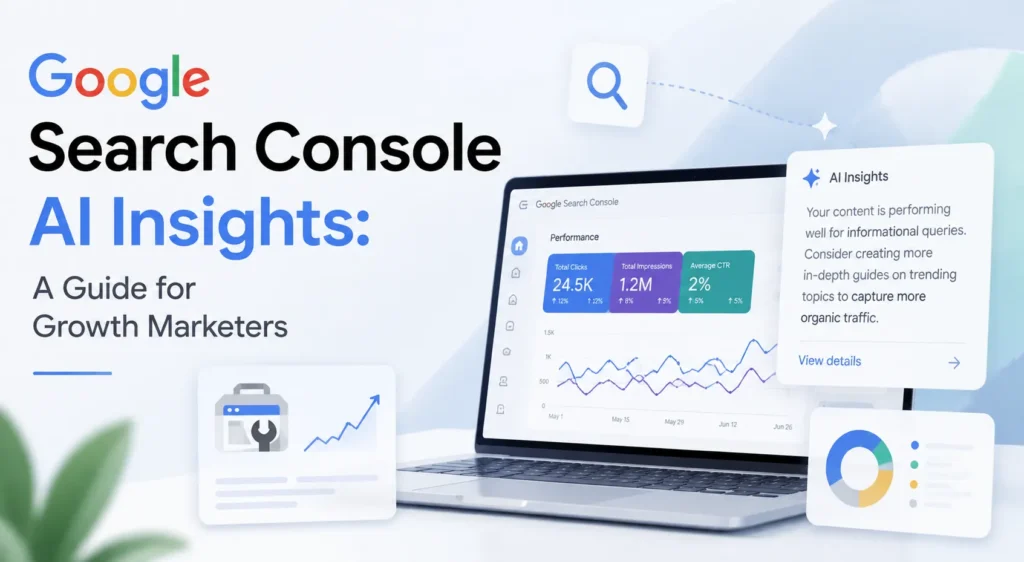
Quick Summary AI search prompts Google Search Console reveal how users ask real questions, helping you move from keyword targeting to true intent-driven content strategies. Google Search Console AI queries show high-intent, long-tail searches that indicate what users actually want before making a decision. Understanding how to track AI searches in GSC helps you identify impressions with low CTR where AI is using your content without clicks. Google AI Mode search data highlights zero-click behavior, making impressions a critical signal for visibility and demand. Use AI search trends and AI-generated search data to identify gaps, improve content, and stay ahead of shifting user behavior. Master how to analyze long-tail queries and how to extract insights from Search Console to continuously update content and build compounding SEO growth. 📞 Book Free Consultation Your customers are no longer typing short phrases into a bar to find products. They are now using AI search prompts to ask detailed questions like “What is the best eco-friendly running shoe for flat feet under one hundred dollars?” As an e-commerce marketing agency, we know that capturis high-intent trafing thfic is the key to scaling. This data is already hidden in your dashboard, and when you connect it with AI search prompts in Google Search Console, you can start optimizing for Google AI Mode before your competitors do. What Are AI Search Prompts and How They Work in Google Search Console Your customers are not searching the way they used to. Instead of typing “buy running shoes online” they are now asking things like “What are the best running shoes for flat feet under £80 that arrive within 2 days” “Which online store sells organic skincare that is cruelty free and ships to UAE” “Is it better to buy a gaming chair from Amazon or a specialist store with warranty support” These are not keywords. These are full conversations happening inside ChatGPT, Google AI Mode, Perplexity and Gemini every single day. And here is what changes everything for your ecommerce business. Some of this data is already sitting inside your Google Search Console. You just need to know where to look, how to read it, and how to connect it with AI search prompts Google Search Console insights. Brands that understand Google Search Console AI queries are already writing content that matches how buyers actually think. They are showing up inside AI answers, capturing high-intent traffic, and converting at rates that traditional keyword targeting simply cannot match anymore. The ChatGPT Query Leak And What It Proved About Buyer Behaviour A batch of ChatGPT search queries accidentally leaked into Google Search Console data across multiple websites. These were not normal searches. They were full conversational prompts structured exactly the way someone would type into an AI tool. Queries like “What ecommerce brand sells sustainable activewear that is good quality and not overpriced” “Compare protein supplement brands online which one has best value for money in UK” Real buyers are typing full AI style prompts before making purchase decisions. And that behaviour is now permanently woven into how people shop online. This is not a future trend. It is happening in your niche right now. How Google AI Mode Search Data Shows Up In Search Console Here is where ecommerce brands need to pay close attention. Google AI Mode sits at the very top of search results. It generates an AI answer before the user ever sees a product listing or a category page. When your web page gets cited inside one of those AI answers, Google Search Console logs it as an impression. This is real, confirmed Search Console AI data, and it tells you something incredibly valuable about demand in your market. When you analyse AI search prompts Google Search Console data, the breakdown becomes even clearer for ecommerce specifically. Search Behavior: Traditional vs. AI Mode  Metric Traditional Search Google AI Mode Average Query Length 2 to 4 words 8 to 15 words Click-Through Rate (CTR) 3% to 6% Often under 1% What the Data Tells You Which keywords rank What buyers actually want to know Content That Wins Product and category pages Buying guides and Q&A content According to a 2024 BrightEdge study, 58% of Google searches now result in zero clicks because AI answers are resolving the question before the user scrolls down. For ecommerce brands this means impressions are now your most important early signal. High impressions with low CTR does not mean failure. It means Google AI Mode is answering your customer’s question using your content but not sending the click. That is the gap you need to close. Want to know which of your product pages are showing inside AI answers right now? Mount Web Technologies offers a free GSC AI audit for ecommerce brands. Book yours today. How To Track AI Search Prompts In GSC The Exact Method This takes under 20 minutes and gives you data most of your competitors do not know exists. Step 1: Open Google Search Console And Set Your Date Range Go to Performance, then Search Results. Set your date range to the last 3 to 6 months. Shorter periods do not give you enough pattern data, especially when search behaviour keeps shifting over time. Turn on all four columns: Clicks, Impressions, CTR, and Position. Step 2: Apply The Regex Filter To Find AI Style Queries This is the single move that unlocks everything. Click New Filter then Query then Custom Regex and paste this exactly ^(?:\S+\s+){9,}\S+$ This filters your entire query list to show only searches that are 10 words or longer. These long tail search queries are the fingerprint of AI influenced buying behaviour. Nobody types a 14 word product question unless they are thinking exactly the way they would prompt an AI tool. For an ecommerce brand this filter will surface queries like “Best eco friendly water bottle that keeps drinks cold for 24 hours and is under £30” “Where to buy wireless earbuds online with good bass and long battery life

Address

Mount Web Technologies is a digital marketing partner helping local businesses and ecommerce brands scale revenue.

Contact Us

Address

C-98, Phase 7, Industrial Area, S.A.S Nagar, Punjab, 160073, INDIA

Phone Number

+91 8283022100

Copyright 2026, Mount Web Technologies. All Rights Reserved.

Mount Web Technologies is a digital marketing partner helping local businesses and ecommerce brands scale revenue.

Contact Us

Address

C-98, Phase 7, Industrial Area, S.A.S Nagar, Punjab, 160073, INDIA

Phone Number

+91 8283022100

Copyright 2026, Mount Web Technologies. All Rights Reserved.

Scroll to Top

    Read Case Study in Detail